Non-Technical Operations & Business Guide
This manual explains how ridein works, how to manage operations, set fares, handle driver payouts, and grow your platform.
The ridein Platform: Comprehensive Business & Operations Guide
ridein is a complete, enterprise-grade mobility and ride-dispatch ecosystem. Whether you are launching an on-demand taxi business, managing a multi-car corporate fleet, or expanding a regional ride-hailing company, ridein provides all the digital tools needed to connect passengers, drivers, and fleet operators under your own brand.
The 4 Connected Pillars of ridein
1. Passenger (Rider) Experience
Customers book rides instantly or schedule them in advance. They see upfront fare estimates, track the approaching driver on a live map, pay via card, cash, or wallet, and rate their ride.
2. Driver Partner Application
Drivers go online with one tap, receive nearby ride dispatches with countdown timers, navigate with turn-by-turn routes, track daily/weekly earnings, and choose between paying commissions or buying 0% commission passes.
3. Admin & Dispatcher Control Center
The central headquarters for business owners. Monitor live driver locations on interactive maps, verify driver documents, configure dynamic surge pricing, audit trips, and send mass notifications.
4. Fleet & Taxi Company Portal
A dedicated portal for third-party taxi companies and vehicle owners. Fleet owners can register their own vehicles, recruit drivers, take manual phone bookings, and track their fleet's revenue share.
Smart GPS Architecture & 50% Google Maps Cost Savings
In traditional ride-hailing applications, third-party mapping and location APIs (such as Google Maps Distance Matrix, Directions, and Geocoding) can quickly become the single largest operating expense for the business. Every time hundreds of online drivers transmit location updates, generic systems query paid APIs repeatedly, burning cash.
ridein features an optimized, GPS-first geospatial architecture that decouples routine mobile tracking from paid mapping services:
The High-Cost Trap
- Repeated Paid API Calls: Every driver coordinate ping triggers an external Google API query.
- Distance Matrix Waste: Calculates distance to 10 nearby drivers on every passenger screen load by pinging Google servers.
- Uncontrolled Scaling: As active drivers grow from 50 to 500, monthly Google Cloud bills explode unpredictably.
GPS-First Architecture
- Hardware GPS Direct Ingestion: Coordinates stream directly from device satellite chips straight into ridein backend memory with zero API cost.
- Server-Side Proximity Math: Proximity filtering and geofence verification are computed natively on your own server.
- Selective API Calling: Paid Google services are triggered strictly when necessary (e.g., initial address autocomplete and turn-by-turn routing).
Proven Financial Benefit: ~50% Reduction in Map API Bills
By separating hardware GPS streaming from paid mapping calls and utilizing server-side geospatial indexing, platform operators report an average 50% reduction in monthly map-related operational expenses.
How a Ride Works: Step-by-Step
From the moment a customer opens their app to the moment they step out at their destination, ridein orchestrates a frictionless automated workflow:
Ride Request & Fare Transparency
The rider enters their destination. The platform displays available vehicle categories (e.g. Economy Sedan, Comfort SUV, Motorbike) alongside guaranteed upfront fare estimates, ETAs, and available promo code discounts.
Intelligent Driver Matching
The dispatch engine searches for nearby online drivers within the geofenced radius. It pings the closest qualified driver with a visual countdown timer showing pickup address, passenger rating, and trip direction.
Pickup & Live GPS Tracking
When the driver accepts, the passenger immediately sees the driver's name, car model, license plate, photo, and smooth real-time car movement on the map. In-app call and chat allow seamless coordination.
Ride Start Verification (4-Digit OTP)
To ensure the passenger boards the exact car booked (preventing wrong-vehicle pickups in crowded venues or airports), the rider app displays a unique 4-digit OTP. The driver enters this code into the driver app to unlock the trip meter.
In-Ride Safety & Route Progress
Once the OTP is confirmed, turn-by-turn navigation guides the driver. The rider can monitor their route in real-time, share a live web tracking link with family, or trigger the emergency SOS alert if needed.
Completion, Digital Billing & Downloadable PDF Invoices
The driver taps "End Trip". The automated invoice engine tallies distance, transit time, wait charges, tolls, and promo discounts. Payment is settled via card, wallet, or cash. Both rider and driver can download official PDF tax invoices directly from their trip history.
Riders can reserve rides hours or days ahead (e.g. 5:00 AM airport trips). The platform accepts scheduled bookings even if nearby drivers are not online yet, and automatically dispatches to online drivers or queues them for dispatcher assignment prior to pickup time.
Riders can bookmark frequently visited addresses (Home, Office, Gym, Airport) to request their regular rides with a single tap without typing addresses repeatedly.
The User Portals & Access Points
Different stakeholders access ridein through dedicated interfaces tailored to their daily duties:
| Portal | Target Audience | Access Method | Key Responsibilities |
|---|---|---|---|
| Super Admin Portal | Business Owners & Executives | /admin/login (Web) |
Financial audits, pricing, payment gateways, system settings, analytics. |
| Dispatcher Console | Call Center & Dispatch Staff | /admin/login (Web) |
Taking phone bookings, manual driver assignment, monitoring live fleet map. |
| Fleet Company Portal | Taxi Companies & Car Owners | /company/login (Web) |
Managing company drivers, inspecting company cars, fleet payouts, phone dispatch. |
| Driver Partner App | Drivers (Freelance & Fleet) | Mobile App (Android / iOS) | Accepting rides, turn-by-turn GPS, daily earnings, subscriptions, pay to admin. |
| Passenger App | Riders / Customers | Mobile App (Android / iOS) | Instant booking, advance scheduled rides, wallet top-up, trip history, SOS. |
Admin Control Center
The primary administrator portal gives platform owners complete oversight of their ride-hailing business from any web browser:
Live Analytics & Performance
- Revenue Charts: Gross revenue, net platform commissions, and subscription income.
- Trip Health: Completed rides vs cancelled rides with breakdown of cancel reasons.
- Active Fleet Counts: Real-time counts of online, busy, and offline drivers.
Operational Controls
- Driver Verification: Approve or reject driver licenses, criminal checks, and vehicle photos.
- Fare Management: Define base fares, distance rates, and peak hour surge multipliers.
- Payout Center: Audit weekly driver earnings and approve batch disbursements.
Phone Booking & Dispatch Console
Not all customers book rides through smartphones. Elderly passengers, airport arrivals, hotel concierges, or customers without internet access often prefer calling by phone.
ridein features a dedicated Manual Booking Console built specifically for phone dispatchers (available to platform dispatchers at /admin/manual_booking and fleet operators at /company/manual_booking).
Look Up or Add Caller
Type the caller's phone number. If they are a registered rider, their profile and history load instantly. If it's a first-time caller, simply enter their name and the system provisions an account on-the-fly.
Pickup & Destination Autocomplete
Type the street, hotel, or landmark. Google Places autocompletes the exact address. The interactive map renders the route with driving distance, transit time, and category fares.
Dispatch Mode
Select Auto-Assign to notify the closest available driver, or use Manual Selection to assign the call to a specific trusted driver from the dropdown list.
Live Maps & Demand Heatmap
Maintain total spatial awareness across your entire city with real-time tracking maps:
Real-Time Vehicle Tracking
Every active car appears on the live map as a custom vehicle pin.
- Green / Idle: Driver is online and waiting for ride requests.
- Orange / En Route: Driver has accepted a ride and is heading to the pickup.
- Blue / On Trip: Passenger is in the vehicle heading to the drop-off.
Urban Surge Zones
Visual color gradients highlight areas experiencing high passenger demand.
- Identifies shortage of cars in specific neighborhoods or entertainment districts.
- Allows dispatchers to guide idle drivers towards high-demand surge areas.
Driver Onboarding & Document Verification (KYC)
Passenger safety and legal compliance start with thorough driver screening. ridein features an automated document pipeline that simplifies onboarding:
| Onboarding Stage | What the Driver Does | What the Administrator Does |
|---|---|---|
| 1. Mobile Registration | Downloads driver app, registers phone/email, and enters vehicle model & year. | System automatically creates pending driver profile and default vehicle slot. |
| 2. Document Submission | Uploads camera photos of Driving License, Vehicle Registration (RC), and Insurance. | Documents appear under Drivers > Pending Verification tab with count badges. |
| 3. Visual Inspection | Waits for account approval notification. | Admin reviews photos, checks expiration dates, and clicks Approve or Reject with Reason. |
| 4. Account Activation | Receives approval notification; can now toggle status to Online and receive rides. | Driver appears on active fleet roster and is eligible for automated ride dispatch. |
Driver Online Availability & Background Request Flow
A major operational challenge for ride-hailing drivers is keeping their device available for incoming dispatches while using Google Maps, chatting on messaging apps, or locking their phone screens between rides.
ridein's native mobile architecture coordinates driver availability, GPS updates, and high-priority push dispatches seamlessly:
Explicit Driver Availability (Online / Offline Toggle)
The driver flips the master Online switch in their app. The app instantly registers an active availability token on the backend server along with the driver's current coordinates.
Foreground Service & Battery Optimization Compliance
While online, the app runs a persistent background location service with an ongoing notification. This prevents modern Android & iOS battery savers from killing the app process when minimized or when the phone screen turns off.
High-Priority Request Delivery (Locked Screen & Minimized)
When a trip request matches the driver's geofenced radius, the server sends a high-priority push message. The driver app awakens, plays an audible alert tone, and presents a full-screen incoming modal showing pickup address, passenger rating, trip distance, and an accept/reject timer (e.g. 15-30s).
Automated Acceptance Arbitration
The backend instantly locks the booking upon acceptance, preventing race conditions or multiple drivers claiming the same booking. If the driver ignores or declines the request, the radar moves seamlessly to the next closest qualified vehicle.
Driver Privacy & Instant Offline Disconnect
When the driver toggles Offline, all background location tracking stops immediately. The platform ceases recording coordinates, respecting driver personal privacy and preserving phone battery when off duty.
Taxi Companies & Fleet Owners (Multi-Tenant)
Many cities have existing taxi associations, limousine companies, or private vehicle owners who own 5, 20, or 100+ cars. Instead of forcing them into individual driver accounts, ridein gives them their own Company Portal (/company/login).
Fleet Owner Capabilities
- Fleet Registration: Add company-owned vehicles and bind company drivers to them.
- Fleet Dispatching: Operators can take phone bookings and dispatch them exclusively to company cars.
- Company Driver Payouts: Review weekly pay for company drivers and disburse salaries.
- Private Fleet Map: Live tracking map showing only vehicles belonging to that company.
Platform Revenue from Fleets
- Custom Commission Rate: Admins can negotiate custom commission percentages per company (e.g. 10% for big fleets vs 18% for freelance drivers).
- Direct Settlement: Platform admin pays the fleet owner gross earnings in bulk, and the fleet owner handles individual driver payroll.
Pricing, Fare Engine & Dynamic Surge
The platform calculates fares with full transparency for riders and fair compensation for drivers:
The Standard Fare Formula
Additional items like waiting charges (after free 3-minute grace period), toll road fees, in-ride tips, and schedule fees are automatically itemized on the digital invoice.
Peak Hour & Dynamic Surge
During rush hours, heavy rain, or weekend nights when demand spikes, the system automatically applies a surge multiplier (e.g. 1.25x or 1.5x) to encourage more drivers to get on the road.
Category & City Customization
Different vehicle types (Sedan, Luxury, Van, Bike) have independent base fares and rates. You can also configure location-specific fares for different cities or airport zones.
Commissions vs Subscriptions: The Hybrid Earning Model
Can both the Commission Model and the Subscription Model work together? Yes!
ridein is designed with a hybrid revenue system. You never have to choose between charging a per-trip commission or offering subscription plans — both can run side-by-side on your platform.
Pay-Per-Trip (Commission)
Best for part-time and weekend drivers.
- Free to start — zero upfront cost.
- Platform takes a standard % cut (e.g., 15%) only on completed rides.
- No risk if the driver takes weeks off.
Unlimited Membership (Subscription)
Best for full-time drivers working long hours.
- Driver buys a Day, Week, or Month pass (e.g., $20/week).
- 0% Commission: Driver keeps 100% of every fare.
- The more trips they complete, the more money they keep.
The Smart Hybrid (Both Together)
Drivers choose their preferred plan freely.
- While a pass is active, commission is zeroed out (0%).
- When the pass ends, the driver smoothly falls back to standard per-trip commission.
- Zero downtime, zero manual admin adjustment.
Driver & Company Payouts: How Money Moves
Ensuring drivers and fleet owners receive their earnings accurately builds trust and fuels marketplace growth.
Paying Independent Drivers
- Driver adds payout method: Direct bank account (IBAN/Swift), PayPal, Stripe, or Mobile Money (M-Pesa, MTN).
- Admin reviews earnings: Under Payouts > Driver Payouts, admin reviews weekly or daily earnings.
- 1-Click Inspection: Admin can inspect trip receipts, fares, tips, and tolls.
- Disbursement: Admin triggers instant automated payouts or wires bank funds and marks as paid.
Paying Fleet Companies
- Fleet Owner sets bank account: In the Company Portal, fleet managers configure corporate banking details.
- Platform settles in bulk: Under Company Payouts, the platform admin pays the fleet owner gross earnings for all rides completed by company cars.
- Company settles with drivers: In the Company Portal, the fleet owner views individual driver performance and pays company salaries or revenue shares.
Cash Rides, Owe Amounts & the "Pay to Admin" Feature
In many markets, 40% to 80% of rides are paid in cash. ridein has an automated financial system designed specifically to handle cash transactions safely:
Why Drivers Owe Money to the Platform:
When a passenger hands physical cash to a driver, the driver pockets 100% of the money immediately. If the driver is on the commission model, the platform's commission cut belongs to the business. That commission accumulates in the driver's Driver Owe Amount ledger.
The 3 Ways Drivers Settle Their Owe Balance:
The driver taps Pay to Admin in their mobile app, types the amount, and pays via card, PayPal, or digital gateway. Their owe balance resets instantly.
Drivers with earned referral bonuses can apply their referral balance directly to clear their commission debt without spending real cash out of pocket.
The driver drops off cash at your dispatch office. The admin opens Driver Owe Details in the dashboard and clicks Mark as Paid.
Promo Codes, Coupons & Discounts
Acquire new passengers and boost ride frequency with targeted coupon campaigns:
Creating Promo Campaigns
- Percentage or Fixed Discount: e.g., "20% OFF" or "$5 OFF your ride".
- Expiration & Usage Caps: Set start/end dates and limit to first 500 riders or first 3 rides per user.
- Location Specific: Restrict promo codes to specific cities, airports, or events.
Driver Earnings are 100% Protected
When a passenger uses a $5 promo code, the driver does not lose money! The passenger pays the discounted price, and the platform automatically subsidizes the remaining $5 directly into the driver's payout ledger.
Viral Referral Program
Turn every rider and driver into a brand ambassador with automated viral referrals:
Rider-Invites-Rider
Every passenger has a unique referral code in their app.
- When a friend registers with their code and finishes their first ride, both get wallet credits.
- Drives organic word-of-mouth growth without expensive advertising.
Driver-Invites-Driver
Existing drivers earn bonuses when they recruit friends to drive.
- Bonus is released only after the new driver gets verified and completes a minimum trip goal (e.g. 10 rides).
- Rapidly scales vehicle supply during new city launches.
Push Notifications & SMS Broadcasting
Re-engage inactive passengers or send urgent weather and traffic alerts to drivers through the Send Message console (/admin/send_message):
Select Everyone, Riders Only, Drivers Only, Fleet Companies Only, or search and pick specific users.
Free instant push notifications delivered directly to phone lock screens via Firebase.
Global SMS text broadcasts delivered through Twilio to users without active internet data.
Safety, SOS & Live Share
Trust and safety are embedded into every layer of the platform:
A prominent SOS button in both Rider and Driver apps
Riders can share a real-time web tracking link with friends or family, allowing them to follow vehicle movement on any browser without downloading the app.
Drivers and riders coordinate pickups using in-app VoIP calls or chat, preventing personal phone numbers from being exposed.
Ratings & Quality Control
Maintain exceptional service quality across your marketplace through mutual rating reviews:
| Quality Mechanism | How It Works | Business Outcome |
|---|---|---|
| Two-Way 5-Star Ratings | Both passenger and driver must rate each other (1 to 5 stars) and select feedback tags (e.g., Clean Car, Polite, Late). | Ensures mutual respect and identifies problematic drivers or rude passengers. |
| Low Rating Safeguards | Drivers whose rolling rating drops below 4.5 stars receive automated warnings or temporary suspension. | Guarantees that passengers consistently experience top-tier vehicles and courteous drivers. |
| Cancellation Reason Tracking | When a trip is cancelled, the user must select a predefined reason (e.g. Driver taking too long, Wrong address). | Provides analytics to optimize dispatch timers and identify drivers who frequently decline accepted rides. |
Pre-Launch Operations & Verification Checklist
Before launching live commercial operations in your city, run through this practical 10-point business verification checklist to ensure flawless passenger experience, accurate driver billing, and tight operational control:
| # | Operational Area | Verification Action | Target Outcome |
|---|---|---|---|
| 1 | Background Dispatch Test | Put driver app in background, lock phone screen, and request a ride from rider app. | Driver phone plays loud audio alert and presents full-screen request with countdown timer. |
| 2 | Trip-Start OTP Verification | Test starting a trip with incorrect OTP and then with correct 4-digit code. | Trip meter rejects invalid code; starts immediately when correct code is submitted. |
| 3 | Cash Trip Owe Threshold | Complete cash rides until driver owe balance exceeds the configured maximum threshold. | System temporarily pauses automated dispatches until driver pays admin or offsets balance. |
| 4 | Hybrid Revenue Switching | Purchase a subscription pass for a test driver; verify trip commission is 0%. Let pass expire. | Commission automatically resets to standard % without manual intervention or driver downtime. |
| 5 | Phone Dispatch Console | Submit a test booking through /admin/manual_booking and /company/manual_booking. |
Driver receives dispatch ping; phone customer receives SMS tracking link. |
| 6 | Online Payment & Payouts | Process test card payments (Stripe/Razorpay/PayPal) and initiate a test driver payout batch. | Funds capture cleanly, transaction logs reconcile, and driver wallet reflects payout. |
| 7 | Emergency SOS Alert | Tap the in-app SOS button on both rider and driver test devices. | Emergency contacts receive SMS coordinates and dispatch dashboard triggers alert banner. |
| 8 | Geofenced Service Areas | Request a ride outside your operating city boundaries and inside active zone. | System warns customer when outside service area; allows booking inside geofence. |
| 9 | Google Cloud Billing Alerts | Set up Google Cloud budget alerts and API key restrictions in Google Cloud Console. | Prevents unexpected API overages and confirms server-side GPS streaming savings. |
| 10 | Production Security Audit | Change all default passwords, disable demo accounts, and enforce SSL/HTTPS on all domains. | Guarantees customer data protection, financial integrity, and regulatory compliance. |
Quick Reference: Default Portals & Demonstration Accounts
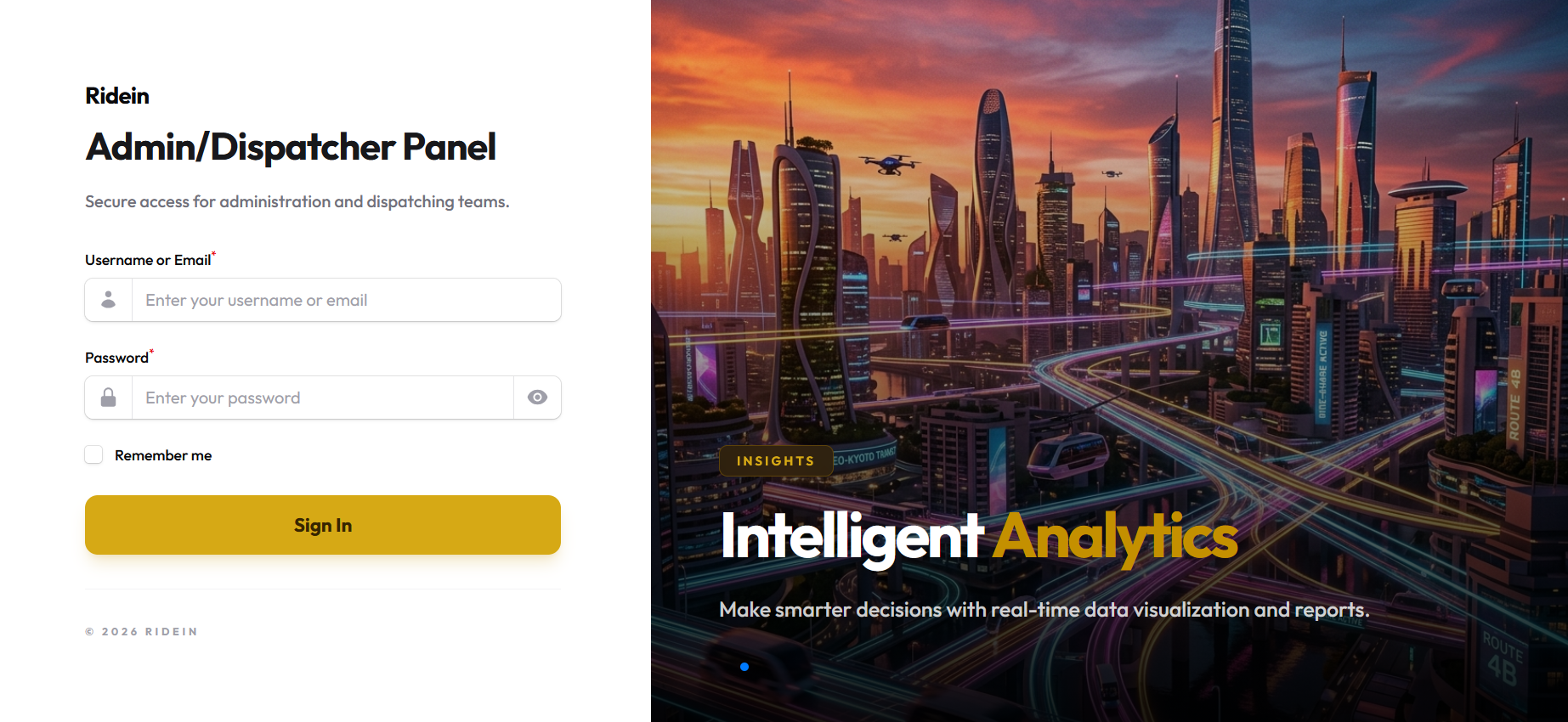
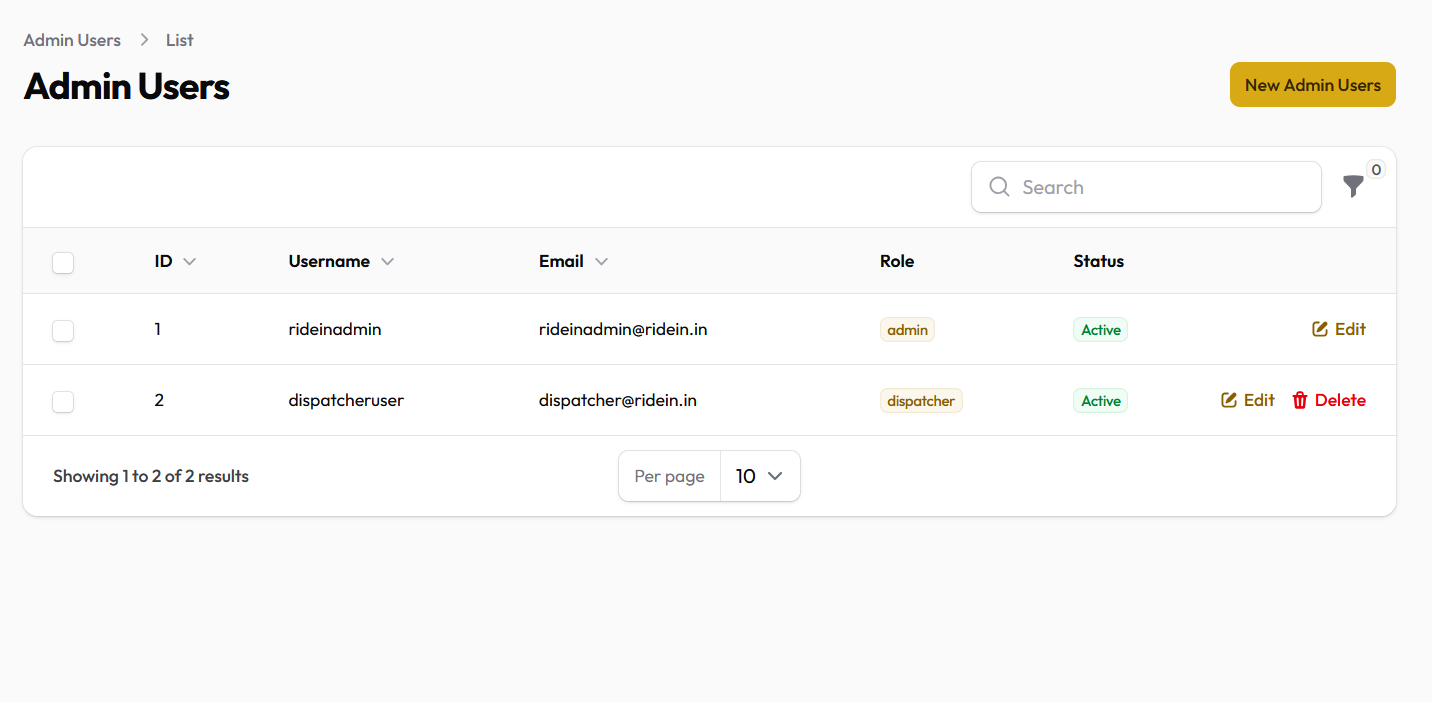
For platform evaluation, training dispatch staff, or client demonstrations, use these pre-provisioned demo accounts:
| Portal Role | Portal URL | Login Email / Username | Password | Purpose |
|---|---|---|---|---|
| Super Admin | /admin/login |
rideinadmin@ridein.in (or rideinadmin) |
123456 |
Full system access & business management |
| Dispatcher | /admin/login |
dispatcher@ridein.in (or dispatcheruser) |
123456 |
Phone booking & fleet dispatching only |
| Fleet Company | /company/login |
admin@ridein.in |
123456 |
Fleet owner portal with 10% commission rate |
| Demo Driver | Driver Mobile App | driver@ridein.in (Phone: 8888888800) |
123456 |
Pre-approved driver with active Swift vehicle |
| Demo Rider | Passenger Mobile App | rider@ridein.in (Phone: 8888888888) |
123456 |
Pre-funded passenger with wallet credits |
© 2026 ridein Platform. All rights reserved.